
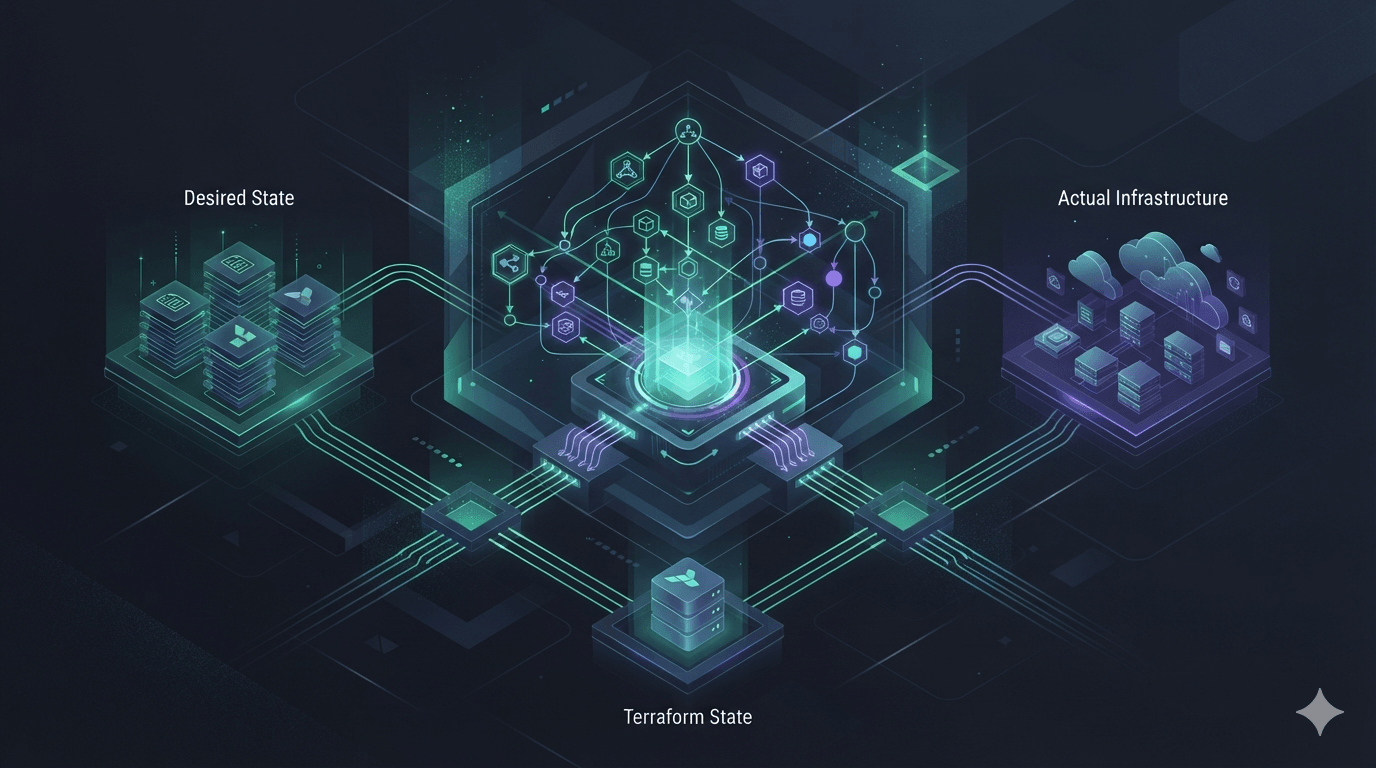
How Terraform Works: Understanding How Terraform "Thinks"
This is probably the most important article in the entire series.
Many engineers learn Terraform by memorizing syntax.
resource ...

variable ...

output ...

data ...
They quickly move on to creating EC2 instances, S3 buckets, VPCs, Docker containers, or whatever infrastructure they need.
Everything seems simple.
Until Terraform suddenly tells them:
Plan: 0 to add, 1 to change, 2 to destroy.Or throws an error like:
Cycle detected.Or even worse:
Resource already exists.At that point, many people start experimenting.
They tweak a few lines of code, run terraform apply again, and hope the problem disappears.
The issue is rarely the syntax.
The real problem is that we don't understand how Terraform thinks.
After years of using Terraform in production, I've realized that once you understand its execution model, almost everything Terraform does starts to make sense.
That's exactly what this article is about.
Terraform Doesn't Run Like a Bash Script
This is probably the biggest misconception beginners have.
Imagine you have a simple Bash script.
create-network

create-volume

create-container
The shell executes it from top to bottom.
Step 1

↓

Step 2

↓

Step 3
Simple.
Predictable.
Naturally, many people assume Terraform behaves the same way.
For example:
resource "docker_network" "network" {}

resource "docker_volume" "volume" {}

resource "docker_container" "app" {}
Most beginners expect Terraform to execute resources in the order they appear in the file.
It doesn't.
Terraform couldn't care less which resource comes first.
Instead, it asks a different question:
Which resource depends on which?
That's why you can split your infrastructure across dozens—or even hundreds—of .tf files, and Terraform will still build everything in the correct order.
It doesn't execute files sequentially.
It reads the entire configuration, understands the relationships between resources, and only then decides how to execute them.
This is exactly why Terraform is considered a declarative tool.
You describe the destination.
Terraform figures out the journey.
Terraform Only Cares About Three Things
If I had to summarize Terraform in one sentence, it would be this:
Terraform is constantly trying to make the real infrastructure match what you've described in code.
That sounds simple.
But to accomplish this, Terraform has to compare three different realities.
Desired StateCurrent StateActual InfrastructureOnce you understand these three concepts, you've already understood most of Terraform.
Desired State
The Desired State is exactly what you want your infrastructure to look like.
It's simply your Terraform configuration.
For example:
resource "docker_container" "nginx" {
  image = "nginx:latest"
  name  = "web"
}
Notice what you're not telling Terraform.
You're not saying:
Create a container.
Or:
Create it only if it doesn't already exist.
Or:
Update it if necessary.
Instead, you're saying something much simpler:
I want a container named web running the nginx:latest image.
That's your Desired State.
Terraform doesn't care how to get there.
It only cares about what the final infrastructure should look like.
This is one of the biggest differences between imperative programming and Infrastructure as Code.
Current State
Terraform also needs to remember what it managed previously.
Without memory, every execution would be a guess.
That's exactly why Terraform has a State.
Think of the state file as Terraform's memory.
Typically, you'll see it as:
terraform.tfstateInside that file, Terraform stores information such as:
- Resource IDs
- Provider metadata
- Resource attributes
- Dependency information
- The mapping between your configuration and real infrastructure
In other words:
Desired State is what you want.
Current State is what Terraform remembers.
This is why the next article in this series will be entirely dedicated to Terraform State.
Actual Infrastructure
There's one more thing Terraform must know.
The actual infrastructure that exists in the real world.
For example:
- Docker
- AWS
- Azure
- Google Cloud
- Vercel
- Supabase
- Firebase
- Cloudflare
...
This is the source of truth about what's actually running.
Terraform can't rely only on your configuration.
It also can't rely only on its state file.
Instead, it asks the provider:
"What does the infrastructure look like right now?"
With the Docker Provider, Terraform queries the Docker API.
With the AWS Provider, it queries AWS APIs.
With the Vercel Provider, it talks directly to the Vercel API.
Every provider works the same way.
Before Terraform makes any decision, it first discovers the current state of the real infrastructure.
Think of Terraform as an Engineer Solving a Puzzle
One mental model I really like is to imagine Terraform as an experienced infrastructure engineer.
That engineer has three documents on the desk.
                 Desired State
            (Terraform Configuration)

                      ▲
                      │
                      │
                    Compare
                      │
                      ▼

Current State ---------------- Actual Infrastructure

(terraform.tfstate)         (Cloud Provider APIs)
The engineer asks three questions.
What do I want the infrastructure to look like?
↓
Desired State.
What did I manage previously?
↓
Current State.
What actually exists right now?
↓
Actual Infrastructure.
Only after collecting all three pieces of information does Terraform begin making decisions.
It doesn't create resources immediately.
It doesn't update anything.
It doesn't destroy anything.
It calculates.
And that calculation is the heart of Terraform.
In the next section, we'll see how Terraform builds a Dependency Graph, generates an Execution Plan, and determines the safest order to provision your infrastructure.
Terraform Builds a Graph Before It Does Anything
This is one of the biggest differences between Terraform and most automation tools.
After collecting:
- Desired State
- Current State
- Actual Infrastructure
Terraform still doesn't create a single resource.
Instead, it analyzes the entire configuration to answer one question:
Which resources depend on each other?
The result is something called a Dependency Graph, or more precisely, a Directed Acyclic Graph (DAG).
This graph becomes Terraform's roadmap.
It tells Terraform exactly what can be created, updated, or destroyed, and in what order.
Understanding the Dependency Graph (DAG)
Let's look at a simple Docker example.
resource "docker_network" "app" {
  name = "app-network"
}

resource "docker_volume" "data" {
  name = "app-data"
}

resource "docker_container" "nginx" {
  image = "nginx:latest"

  networks_advanced {
    name = docker_network.app.name
  }

  volumes {
    volume_name    = docker_volume.data.name
    container_path = "/usr/share/nginx/html"
  }
}
Even though we never explicitly tell Terraform what order to execute these resources, it immediately understands the relationships.
The container depends on:
- A network
- A volume
The network and the volume, however, are completely independent of each other.
Terraform builds a graph that looks like this:
        docker_network
               │
               │
               ▼
        docker_container
               ▲
               │
               │
         docker_volume
Notice something important.
Terraform does not create the network first because it appears first in the file.
It creates the network first because the container depends on it.
Those are two completely different ideas.
File Order Barely Matters
What happens if we rearrange the file?
resource "docker_container" "nginx" {
  ...
}

resource "docker_volume" "data" {
  ...
}

resource "docker_network" "app" {
  ...
}
Will Terraform execute the container first?
No.
Terraform still creates the resources in the exact same order.
Network

↓

Volume

↓

Container
In fact, you can split your configuration across multiple files.
network.tf

container.tf

volume.tf

variables.tf

outputs.tf
Or organize it into a much larger project.
modules/

live/

providers.tf

versions.tf

main.tf
Terraform doesn't care.
It treats all .tf files in the same directory as a single configuration and builds one dependency graph from the entire project.
This is why large Terraform repositories can contain hundreds of files without becoming execution nightmares.
Terraform Can Execute Resources in Parallel
One of the biggest advantages of using a dependency graph is that Terraform knows when resources are completely independent.
Consider this example.
            VPC
           /   \
          /     \
   Subnet A   Subnet B
          \     /
           \   /
        EC2 Instance
Once the VPC has been created, Terraform knows that:
- Subnet A does not depend on Subnet B.
- Subnet B does not depend on Subnet A.
So instead of creating them one by one, Terraform provisions them simultaneously.
Create VPC

↓

Create Subnet A
Create Subnet B

↓

Create EC2 Instance
This parallel execution dramatically reduces deployment time, especially in large infrastructures with hundreds of independent resources.
Terraform isn't just deciding what to create.
It's also optimizing how to create it.
Terraform Doesn't Guess Dependencies
A common question from beginners is:
"How does Terraform know that the container depends on the network?"
The answer is simple.
It doesn't guess.
Terraform analyzes every reference in your configuration.
For example:
docker_network.app.nameTerraform immediately recognizes:
Container

↓

references

↓

Network
Therefore, the network must exist before the container.
This is called an implicit dependency.
You don't need to configure anything special.
Terraform figures it out automatically.
Most dependencies in a well-designed Terraform project are implicit.
So Why Does depends_on Exist?
If Terraform already builds dependency graphs automatically, why does it provide depends_on?
Because not every dependency is visible through data references.
Imagine you have two resources.
One creates a firewall rule.
The other deploys an application.
The application doesn't reference any attribute from the firewall.
However, you still need the firewall to exist before the application starts.
Terraform cannot infer this relationship automatically.
In situations like this, you can explicitly declare the dependency.
resource "..." "application" {
  ...

  depends_on = [
    firewall_rule.main
  ]
}
This is called an explicit dependency.
Personally, I rarely use depends_on.
If I find myself adding it everywhere, it's usually a sign that my module boundaries or infrastructure design need improvement.
Terraform's automatic dependency detection should handle most cases naturally.
Once the Graph Is Built, Terraform Starts Calculating
At this point, Terraform has everything it needs.
It knows:
- The Desired State
- The Current State
- The Actual Infrastructure
- The Dependency Graph
Only now does Terraform begin comparing everything.
For each node in the graph, it asks questions like:
- Does this resource already exist?
- Has anything changed?
- Should it be created?
- Should it be updated?
- Should it be destroyed?
- Does it need to be replaced entirely?
The result of this entire process is what Terraform calls an Execution Plan.
What Is a Terraform Plan?
Many people think terraform plan is simply a preview command.
It's much more important than that.
A Terraform Plan is the output of Terraform's decision-making process.
It's the result of comparing:
Desired State

↓

Current State

↓

Actual Infrastructure
If everything already matches, Terraform reports:
No changes.
Infrastructure matches the configuration.
If differences exist, Terraform generates a list of actions.
For example:
Plan:

+ create docker_container.web

~ update docker_network.app

- destroy docker_volume.old
One of my favorite ways to describe a Terraform Plan is this:
A Terraform Plan is like a Git diff for your infrastructure.
It doesn't change anything.
It simply tells you:
"If you run Apply right now, this is exactly what will happen."
That's why mature engineering teams rarely review Terraform code alone.
They review the Execution Plan.
Because the plan shows the real impact on production infrastructure—not just the code that produced it.
Apply: Executing the Plan
This is another common misconception.
Many people think terraform apply simply reads the configuration and starts creating resources.
That's not what actually happens.
Instead, Terraform follows a workflow that looks like this:
Terraform Configuration

↓

Build Dependency Graph

↓

Compare States

↓

Generate Execution Plan

↓

Execute the Plan

↓

Update State
Notice that Apply doesn't invent new actions.
It simply executes the plan Terraform has already calculated.
That's why experienced engineers spend much more time reviewing the execution plan than running terraform apply.
The Apply phase should never be a surprise.
If the plan looks wrong, applying it won't magically fix the problem—it will simply execute the wrong plan.
Not Every Change Is an Update
One thing that surprises many Terraform beginners is this:
Changing a single line of configuration does not necessarily mean Terraform will update the existing resource.
Sometimes, it has no choice but to destroy the resource and create a brand new one.
For example:
resource "docker_network" "app" {
  name = "frontend"
}
Later, you change it to:
resource "docker_network" "app" {
  name = "backend"
}
You might expect Terraform to rename the network.
Instead, the plan will look something like this:
-/+ docker_network.appThis means:
Destroy

↓

Create
Why?
Because the Docker API doesn't support renaming a network.
Terraform can't perform an operation the provider doesn't support.
Instead, it replaces the resource.
This concept is called Force Replacement, and you'll encounter it frequently when working with cloud infrastructure.
Understanding which attributes are mutable and which require replacement is one of the skills that separates experienced Terraform users from beginners.
Destroy Is Also Just a Plan
People often think terraform destroy is a completely different command.
Internally, it's simply another execution plan.
Instead of asking:
"What needs to be created?"
Terraform asks:
"How can I safely remove everything?"
The dependency graph still matters.
Imagine this infrastructure:
Network

↓

Container

↓

Application
Terraform cannot delete the network first.
Otherwise, the container would become invalid.
Instead, it walks through the graph in reverse.
Application

↓

Container

↓

Network
The same dependency graph used during creation is reused during destruction—just in the opposite direction.
This guarantees that resources are removed safely and consistently.
Refresh: Verifying Reality
Infrastructure is rarely managed by Terraform alone.
Someone might change a security group in the AWS Console.
A teammate could delete a Docker container manually.
A platform engineer might modify a Vercel project through its dashboard.
Terraform has no idea those changes happened until it asks the provider again.
That's the purpose of Refresh.
During the refresh phase, Terraform queries the provider APIs to discover the current state of every managed resource.
For example:
- Docker Provider → Docker Engine API
- AWS Provider → AWS APIs
- Azure Provider → Azure Resource Manager APIs
- Google Provider → Google Cloud APIs
- Vercel Provider → Vercel API
- Supabase Provider → Supabase Management API
Terraform then compares the provider's response with its own state file.
If differences exist, Terraform updates its understanding before calculating the execution plan.
In modern versions of Terraform, this refresh step happens automatically as part of terraform plan and terraform apply.
You rarely need to think about it—but it's one of the reasons Terraform can make reliable decisions.
Drift: When Reality Changes
Infrastructure drift happens when the real infrastructure no longer matches your Terraform configuration.
Imagine your code says:
EC2 Instance

Type: t3.medium
But someone manually changes it in the AWS Console:
EC2 Instance

Type: t3.large
Now there are two different realities.
Terraform Configuration:
t3.mediumActual Infrastructure:
t3.largeThat's drift.
The next time you run terraform plan, Terraform detects the difference and reports it.
Depending on the resource and provider, Terraform may:
- Update the resource
- Replace the resource
- Or simply report the difference
Drift is one of the biggest reasons Infrastructure as Code exists in the first place.
Without IaC, it's almost impossible to know whether production still matches the intended design.
With Terraform, your configuration becomes the source of truth.
The Complete Terraform Execution Model
Let's put everything together.
Whenever you run:
terraform applyTerraform performs roughly the following sequence of steps:
Read Configuration

↓

Load Providers

↓

Read State

↓

Query Provider APIs

↓

Refresh State

↓

Build Dependency Graph (DAG)

↓

Compare Desired State
Current State
Actual Infrastructure

↓

Generate Execution Plan

↓

Execute Apply

↓

Update State
Notice something important.
Terraform is not a scripting engine.
It isn't reading one resource after another and executing them line by line.
Instead, it is continuously answering a single question:
"How can I make the real infrastructure match the desired state as safely and efficiently as possible?"
Everything Terraform does—from planning to applying, refreshing, detecting drift, and even destroying resources—is built around answering that question.
Key Takeaways
By now, you should have a much clearer mental model of how Terraform works.
The most important ideas to remember are:
- Terraform is declarative, not imperative.
- Your configuration defines the Desired State.
- The state file represents Terraform's Current State.
- Providers expose the Actual Infrastructure.
- Terraform builds a Dependency Graph (DAG) before doing anything.
terraform planis the result of Terraform comparing all three states.terraform applysimply executes the generated plan.- Drift occurs whenever the real infrastructure no longer matches your configuration.
- Terraform's ultimate goal is always to reconcile reality with the desired state.
Once you understand this execution model, many of Terraform's behaviors become intuitive.
Errors like unexpected replacements, dependency cycles, drift detection, or resource ordering stop feeling mysterious—they become logical outcomes of the system's design.
What's Next?
In this article, we've learned how Terraform thinks.
But one major piece is still missing.
Throughout the article, we've mentioned the Terraform State several times without diving into the details.
In the next article, we'll explore the most misunderstood file in every Terraform project:
Terraform State — The Brain Behind Terraform
We'll learn:
- Why the state file exists
- What's actually stored inside it
- How Terraform uses it
- Why losing it can be disastrous
- Local state vs. remote state
- State locking
- Best practices for production environments
Understanding Terraform's execution model is the foundation.
Understanding the State is what takes you from writing Terraform to operating it confidently in production.