
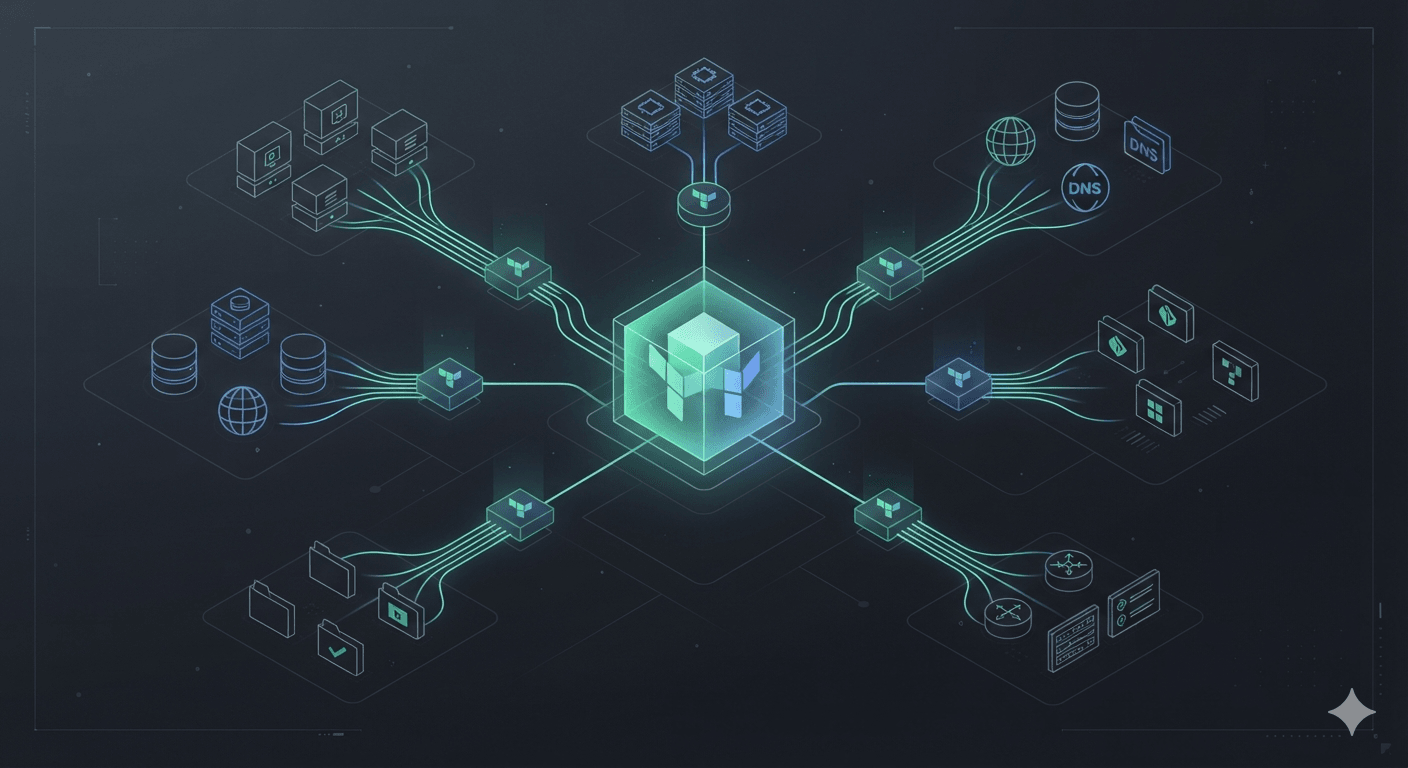
Terraform Provider — Why It Is More Than Just a Plugin
In the previous article, we explored Terraform Modules.
Modules help us organize infrastructure into reusable building blocks.
But that leads to an interesting question.
Terraform itself is only a single program.
How can it create and manage things like:
- AWS EC2 instances
- Azure Virtual Machines
- Google Cloud Storage buckets
- Kubernetes Deployments
- GitHub repositories
- Cloudflare DNS records
- Vercel projects
- Supabase projects
Each platform has its own:
- API
- authentication mechanism
- resource model
- operational behavior
Terraform cannot possibly understand every platform on its own.
If HashiCorp had to modify Terraform Core every time a new cloud service appeared, Terraform would be extremely difficult to maintain and extend.
That is why Terraform was designed around a powerful architectural idea.
Terraform Core is responsible for planning and orchestration.
The actual communication with external platforms is delegated to Providers.
Terraform Core Knows Nothing About AWS
This surprises many people when they first learn how Terraform works internally.
Terraform Core does not know what EC2 is.
It also does not understand:
- S3
- VPC
- IAM
- Kubernetes
- Docker
- GitHub
Terraform Core only understands a small set of abstract concepts, such as:
- Resources
- Data Sources
- Dependency Graphs
- State
- Execution Plans
Beyond those concepts, Terraform Core knows almost nothing about the infrastructure platform being managed.
We can visualize the process like this:
                Terraform Core

          Parse Configuration
                 │
          Build Dependency Graph
                 │
           Compare Terraform State
                 │
             Execution Plan
                 │
        Ask Providers to Execute
Terraform Core decides:
Which resources need to be created?
Which resources need to be updated?
Which resources need to be destroyed?
But it does not know how to perform those operations.
That responsibility belongs to the Provider.
A Provider Is Similar to an Operating System Driver
A useful analogy is a device driver.
When you connect a printer to your computer, the operating system does not necessarily understand:
- how the printer produces a page
- which communication protocol it uses
- which resolutions it supports
- how its internal hardware behaves
The operating system only knows:
Print this document.
The printer driver translates that request into instructions the printer understands.
A Terraform Provider plays a similar role.
Terraform
    │
    ▼
AWS Provider
    │
    ▼
AWS API
Or:
Terraform
    │
    ▼
Cloudflare Provider
    │
    ▼
Cloudflare API
Terraform Core does not directly call those APIs.
It communicates through Providers.
A Provider Is More Than Just a Plugin
HashiCorp commonly describes a Provider as a plugin.
That description is correct.
But it does not fully explain what a Provider actually does.
A Provider is effectively a separate executable program.
Terraform Core and the Provider run as separate processes.
+----------------------+
| Terraform Core       |
+----------------------+
           │
           │ RPC
           ▼
+----------------------+
| AWS Provider         |
+----------------------+
           │
           ▼
        AWS API
This architecture provides several major benefits.
Terraform Core does not need a new release every time AWS launches a new service.
Only the AWS Provider needs to be updated.
Terraform Core can remain unchanged.
This is one of the most important architectural decisions behind Terraform.
It allows Terraform to support thousands of platforms without embedding every platform-specific implementation into Terraform Core itself.
One Provider Can Manage Many Resource Types
People new to Terraform sometimes imagine the relationship like this:
AWS Provider

↓

EC2
But in reality, a Provider can support hundreds or even thousands of resource types.
For example, the AWS Provider can manage:
- EC2
- VPC
- IAM
- Route53
- Lambda
- CloudFront
- S3
- DynamoDB
- RDS
- EKS
- ECS
- SNS
- SQS
And many more.
The same is true for large Providers such as AzureRM and Google Cloud.
A Provider is not tied to a single resource.
It represents an integration with an entire platform or API ecosystem.
How Does Terraform Install a Provider?
When we run:
terraform initTerraform reads the Provider requirements in the configuration.
For example:
terraform {
  required_providers {
    aws = {
      source  = "hashicorp/aws"
      version = "~> 6.0"
    }
  }
}
Terraform then downloads the required Provider from the Terraform Registry.
The process looks roughly like this:
Terraform Registry

        │

Download AWS Provider

        │

Store It Locally

        │

Terraform Starts the Provider
If the required version already exists locally, Terraform does not need to download it again.
This is also why Terraform projects commonly contain the file:
.terraform.lock.hclThe lock file ensures that every developer and CI environment uses a consistent Provider version.
Without it, different machines could install different compatible versions and produce different behavior.
How Do Terraform Core and Providers Communicate?
This is an implementation detail that many introductory Terraform articles do not discuss.
Terraform Core does not import a Provider as a normal library.
Instead, Terraform starts the Provider as a separate process.
Terraform Core

      │

Start Provider Process

      │

AWS Provider

      │

RPC Communication

      │

AWS API
Suppose Terraform needs to create an EC2 instance.
Terraform Core sends a request to the AWS Provider.
The Provider then:
- validates the input
- converts the Terraform configuration into an AWS SDK request
- calls the appropriate AWS API
- receives the API response
- converts the response into data Terraform understands
- returns the result to Terraform Core
Terraform Core then records the resulting resource information in Terraform State.
The entire flow happens automatically.
This separation is what allows Terraform Core to work with thousands of Providers without understanding how each platform is implemented.
Providers Do More Than Create Resources
One of the most common misconceptions is:
A Provider only exists to create Resources.
In reality, a Provider is responsible for almost every interaction between Terraform and an external platform.
Consider the AWS Provider.
Terraform can use it to:
- create an EC2 instance
- update a Security Group
- delete a VPC
- retrieve the latest AMI
- list Availability Zones
- look up a Route53 Hosted Zone
- read a secret from AWS Secrets Manager
Some of these operations create infrastructure.
Others simply retrieve information.
This is where two fundamental concepts come into play:
- Resources
- Data Sources
Resources
A Resource represents an object that Terraform owns and manages throughout its lifecycle.
For example:
resource "aws_instance" "web" {
  ami           = "ami-xxxxxxxx"
  instance_type = "t3.micro"
}
When you run:
terraform applyTerraform asks the AWS Provider:
Create an EC2 instance.
Once the instance has been created successfully, Terraform records its information in the Terraform State.
Terraform State

↓

aws_instance.web

↓

EC2 ID

↓

i-0123456789
From that point forward, Terraform continuously manages that resource.
Its lifecycle typically looks like this:
Create

↓

Update

↓

Replace

↓

Destroy
This is the essence of Infrastructure as Code.
Terraform does not simply create infrastructure.
It manages the complete lifecycle of the infrastructure it owns.
Data Sources
Not everything needs to be created.
In production environments, much of the infrastructure already exists.
For example:
- the VPC was created by the Platform Team
- the Route53 Hosted Zone has existed for years
- the Kubernetes cluster is managed by another project
- IAM Roles are provisioned by the Security Team
Trying to recreate these resources would either fail or introduce unnecessary duplication.
Instead, Terraform simply reads their information.
That is exactly what Data Sources are for.
For example:
data "aws_vpc" "main" {
  tags = {
    Name = "production"
  }
}
Terraform does not create a new VPC.
Instead, the AWS Provider calls the appropriate AWS API to find the existing VPC.
The process looks like this:
Terraform

↓

AWS Provider

↓

Describe VPC API

↓

VPC Information
No new infrastructure is created.
No infrastructure lifecycle is managed.
The Data Source simply returns information that Terraform can use during planning and execution.
This distinction is extremely important.
Resource vs. Data Source
The difference becomes much clearer when viewed side by side.
| Resource | Data Source |
|---|---|
| Creates or manages infrastructure | Reads existing infrastructure |
| Has a lifecycle | Has no lifecycle |
| Can be updated | Cannot be updated |
| Can be destroyed | Cannot be destroyed |
| Managed by Terraform | Used only to retrieve information |
Think about it this way.
resource "aws_vpc"

↓

Terraform owns the VPC
Whereas:
data "aws_vpc"

↓

Terraform only knows the VPC exists
Both concepts are frequently used together in real-world Terraform projects.
Combining Resources and Data Sources
Imagine your company already has a production VPC.
Your job is only to provision a new EC2 instance inside that network.
Your configuration might look like this:
data "aws_vpc" "main" {
  tags = {
    Name = "production"
  }
}

resource "aws_instance" "web" {
  subnet_id = data.aws_vpc.main.default_route_table_id
}
From Terraform's perspective, the workflow is:
Read Existing VPC

↓

Retrieve VPC Information

↓

Create EC2 Instance

↓

Attach EC2 to the Existing Network
Terraform automatically understands that it cannot create the EC2 instance until it has successfully retrieved the VPC information.
This is where another important concept begins to appear:
The Dependency Graph.
Terraform Does Not Execute Top to Bottom
Many beginners assume Terraform simply executes resources in the order they appear in the file.
For example:
resource "aws_security_group" "web" {}

resource "aws_instance" "web" {
  vpc_security_group_ids = [
    aws_security_group.web.id
  ]
}
It is tempting to think Terraform executes the Security Group first simply because it appears first.
That is not what actually happens.
Terraform first parses the entire configuration.
Then it constructs a dependency graph.
aws_security_group.web

          │

          ▼

aws_instance.web
Only after building this graph does Terraform determine the execution order.
This means the following configuration behaves exactly the same:
resource "aws_instance" "web" {
  ...
}

resource "aws_security_group" "web" {
  ...
}
Even though the EC2 resource appears first in the file, Terraform still creates the Security Group before creating the EC2 instance.
Execution order is determined by dependencies, not by file order.
Does the Provider Build the Dependency Graph?
Not quite.
This is another point that often causes confusion.
The Dependency Graph is built entirely by Terraform Core.
Providers are not involved in graph construction.
Instead, Providers answer questions such as:
- What attributes does this resource support?
- Which attributes are required?
- Which API should be called to create it?
- Which API should be called to update it?
- Which API should be called to delete it?
Terraform Core uses that information together with the configuration to build the Dependency Graph.
The workflow looks like this:
Configuration

↓

Terraform Core

↓

Dependency Graph

↓

Execution Plan

↓

Provider

↓

Cloud API
This architecture explains why Terraform Core can support thousands of different Providers without containing platform-specific logic.
Provider Schemas
How does Terraform know that this is valid?
instance_typeBut this is not?
instance_sizeThe answer is the Provider Schema.
Every Provider defines the complete schema for every Resource it supports.
For example:
aws_instance

├── ami
├── instance_type
├── subnet_id
├── tags
├── user_data
└── ...
Terraform uses this schema to:
- validate your configuration
- build the execution plan
- detect changes
- generate meaningful error messages
Terraform Core itself has no idea what instance_type means.
The AWS Provider tells Terraform:
The
aws_instanceresource supports an attribute namedinstance_type. It is a string, it is required, and it will be used when calling the EC2 CreateInstance API.
This is also why upgrading a Provider can introduce new resources or new attributes without requiring any changes to Terraform Core itself.
Declaring Providers
Now that we understand what a Provider is, the next question is:
How does Terraform know which Provider to use?
Every Terraform project begins by declaring its required Providers.
For example:
terraform {
  required_providers {
    aws = {
      source  = "hashicorp/aws"
      version = "~> 6.0"
    }
  }
}
Here:
sourcespecifies where Terraform should download the Provider from.
For example:
hashicorp/awsor:
cloudflare/cloudflarevercel/vercelsupabase/supabaseThe:
versionconstraint tells Terraform which Provider versions are acceptable.
This is especially important in production environments.
required_providers and provider Are Different Concepts
This is one of the areas where many Terraform beginners get confused.
It is common to think that:
required_providersand
providerare the same thing.
They are not.
They serve completely different purposes.
Consider the following configuration:
terraform {
  required_providers {
    aws = {
      source  = "hashicorp/aws"
      version = "~> 6.0"
    }
  }
}

provider "aws" {
  region = "ap-southeast-1"
}
The required_providers block answers the question:
Which Provider does this project depend on?
The provider block answers a different question:
How should that Provider be configured?
Typical configuration includes:
- region
- credentials
- retry behavior
- custom API endpoints
Terraform first downloads the Provider.
Only after that does it initialize the Provider using the configuration in the provider block.
What Does terraform init Actually Do?
One of the very first Terraform commands everyone learns is:
terraform initMost people simply remember:
It initializes the project.
In reality, Terraform performs a surprising amount of work behind the scenes.
A simplified workflow looks like this:
Read Configuration

↓

Find required_providers

↓

Check Lock File

↓

Download Providers

↓

Extract Provider Binaries

↓

Store Them in the Local Cache

↓

Initialize the Backend
If the required Provider version already exists locally, Terraform skips the download.
This significantly speeds up subsequent runs.
Terraform Registry
Providers are usually downloaded from the Terraform Registry.
https://registry.terraform.ioThe Registry is the official distribution platform for Terraform Providers.
It hosts both HashiCorp-maintained Providers and Providers developed by third parties.
Some examples include:
hashicorp/awshashicorp/azurermhashicorp/googlecloudflare/cloudflarevercel/vercelsupabase/supabaseWhen you run:
terraform initTerraform:
- locates the requested Provider
- downloads the correct version
- verifies its checksum
- stores it in the local cache
After that, Terraform Core communicates with that Provider during every Plan and Apply operation.
Why Should You Pin Provider Versions?
Many beginners ignore this line:
version = "~> 6.0"Or they omit the version entirely.
That can become a serious problem.
Imagine today's project uses:
AWS Provider 6.0Tomorrow, a new major version is released:
AWS Provider 7.0The new version might:
- rename an attribute
- change default behavior
- remove deprecated resources
- introduce stricter validation rules
If your project automatically upgrades to the latest version, you could suddenly see hundreds of unexpected changes during:
terraform planThis is one of the reasons production Terraform projects almost always pin Provider versions.
It makes infrastructure deployments predictable and reproducible.
.terraform.lock.hcl
After running Terraform for the first time, you will notice a new file:
.terraform.lock.hclThis is not a configuration file.
Instead, it functions much like:
package-lock.jsonfor npm.
Or:
poetry.lockfor Python.
Or:
Cargo.lockfor Rust.
The lock file records:
- the exact Provider version
- package checksums
- verification information
Imagine two developers working on the same project.
Developer A runs:
terraform initDeveloper B later runs:
terraform initBecause the project contains the lock file, both developers install exactly the same Provider version.
This eliminates many of the classic:
"It works on my machine."
problems.
A Single Project Can Use Multiple Providers
Terraform is not limited to a single Provider.
A typical production system may involve several different platforms.
For example:
- AWS for compute resources
- Cloudflare for DNS
- Vercel for frontend deployments
- GitHub for repository management
- Supabase for databases and authentication
The configuration might look like this:
terraform {
  required_providers {
    aws = {
      source = "hashicorp/aws"
    }

    cloudflare = {
      source = "cloudflare/cloudflare"
    }

    vercel = {
      source = "vercel/vercel"
    }
  }
}
Terraform downloads every required Provider.
Each Resource then knows which Provider it belongs to.
For example:
aws_instance

↓

AWS Providercloudflare_dns_record
↓
Cloudflare Providervercel_project
↓
Vercel ProviderThis is one of Terraform's greatest strengths.
A single execution plan can manage infrastructure across multiple platforms simultaneously.
Provider Aliases
Sometimes the same Provider needs multiple configurations.
A common example is deploying infrastructure across multiple AWS Regions.
provider "aws" {
  region = "ap-southeast-1"
}

provider "aws" {
  alias  = "tokyo"
  region = "ap-northeast-1"
}
A Resource can explicitly select which Provider configuration to use.
resource "aws_instance" "web" {
  provider = aws.tokyo

  ...
}
Terraform will use the Provider instance identified by that alias.
Provider aliases are especially useful for:
- multi-region deployments
- multi-account architectures
- multi-subscription environments
- multi-cluster Kubernetes deployments
Should You Create Many Provider Aliases?
The answer is:
Only when you actually need them.
If your infrastructure lives entirely within a single AWS account and a single region, one Provider configuration is usually enough.
Creating unnecessary aliases can make your configuration:
- harder to read
- more difficult to maintain
- easier to misconfigure
For example, it becomes much easier to accidentally deploy resources into the wrong region or account.
In production environments, Provider aliases are typically introduced only for clear architectural reasons, such as:
- Disaster Recovery
- Cross-Region Replication
- Multi-Account Architectures
- Shared Services
Instead of creating aliases "just in case."
This follows the same principle we apply in software engineering:
Don't design for requirements that don't exist yet.
Providers Are Not Just for Cloud Platforms
When people hear the word Terraform, they usually think of:
- AWS
- Azure
- Google Cloud
That is true.
But it is only part of the story.
A Terraform Provider can be built for any system that exposes an API.
For example:
Cloud

├── AWS
├── Azure
├── Google Cloud
└── Oracle CloudContainers
├── Kubernetes
├── Docker
└── HelmDeveloper Platforms
├── GitHub
├── GitLab
├── Vercel
└── NetlifyDatabases
├── PostgreSQL
├── Snowflake
└── SupabaseNetworking
├── Cloudflare
├── Fastly
└── AkamaiThis means infrastructure is no longer limited to virtual machines, networks, or storage.
If a platform provides a well-designed API, Terraform can potentially manage it.
Terraform Does Not Manage Servers
This is an important mindset shift.
Terraform was not built to manage servers.
Terraform was built to manage infrastructure through APIs.
For example, Terraform can provision:
- GitHub repositories
- GitHub teams
- branch protection rules
- Vercel projects
- Cloudflare DNS records
- PagerDuty services
- Datadog dashboards
None of these are virtual machines.
Yet they are all considered part of modern infrastructure.
That is one of the reasons Terraform has expanded far beyond traditional cloud provisioning.
Does a Provider Always Call APIs?
In almost every case, yes.
Each Terraform Resource is translated into one or more API requests by the Provider.
For example:
resource "aws_s3_bucket" "blog" {
  bucket = "my-blog"
}
During terraform apply, the AWS Provider performs a workflow similar to this:
Validate Input

↓

Build AWS SDK Request

↓

Call CreateBucket API

↓

Receive Response

↓

Convert Response

↓

Return Result to Terraform Core
Terraform Core has no knowledge of which API endpoint is called.
It only knows that the Provider successfully completed the requested operation.
The same applies to every lifecycle operation:
- Create
- Read
- Update
- Delete
What Happens When a Provider Encounters an Error?
Imagine AWS returns one of the following responses:
403 Access Deniedor
429 Too Many Requestsor
500 Internal Server ErrorTerraform Core does not interpret these responses directly.
Instead, the Provider:
- receives the API error
- analyzes it
- converts it into a Terraform-friendly error message
- returns it to Terraform Core
For example:
Error: creating EC2 Instance

UnauthorizedOperation

You are not authorized to perform this operation.
This message originates from the Provider.
Terraform Core simply displays it to the user.
That is why the quality of Terraform error messages depends heavily on the quality of each Provider implementation.
Not Every Provider Is Created Equal
HashiCorp maintains many official Providers, including:
- AWS
- AzureRM
- Kubernetes
These Providers generally offer:
- comprehensive documentation
- large user communities
- frequent updates
- strong compatibility with new Terraform releases
There are also hundreds of community-maintained Providers.
Their quality can vary significantly.
Some are exceptionally well maintained.
Others may no longer be actively developed.
Before adopting a Provider in production, it is worth evaluating:
- how frequently new releases are published
- community adoption
- open issues
- documentation quality
- compatibility with the current Terraform version
Just because a Provider exists in the Terraform Registry does not automatically make it production-ready.
Common Misconceptions About Providers
Terraform Calls Cloud APIs Directly
Not true.
Terraform Core knows almost nothing about cloud APIs.
All communication with external platforms happens through Providers.
One Provider Equals One Resource
Not true.
The AWS Provider alone supports thousands of Resources and Data Sources.
The same is true for other mature Providers such as AzureRM and Google Cloud.
A Provider represents an integration with an entire platform—not a single resource.
Providers Only Create Resources
Not true.
Providers are also responsible for:
- reading Data Sources
- validating configuration
- defining Resource schemas
- calling Create APIs
- calling Read APIs
- calling Update APIs
- calling Delete APIs
- translating data between Terraform Core and external systems
In many ways, a Provider acts as the bridge between Terraform Core and the outside world.
Providers Only Exist for Cloud Platforms
Not true.
Today Terraform manages far more than cloud infrastructure.
It can manage platforms such as:
- GitHub
- Kubernetes
- Cloudflare
- Vercel
- Datadog
- PagerDuty
As long as a platform exposes a suitable API, it is possible to build a Terraform Provider for it.
Summary
In this article, we explored one of the most fundamental components of Terraform:
Providers.
Instead of embedding platform-specific logic into Terraform Core, Terraform delegates all interactions with external systems to Providers.
Terraform Core focuses on universal responsibilities such as:
- parsing configuration
- building the Dependency Graph
- comparing Terraform State
- generating the Execution Plan
Everything specific to AWS, Azure, Kubernetes, GitHub, Cloudflare, or any other platform is handled by the appropriate Provider.
This architecture is what allows Terraform to support thousands of different platforms without constantly changing Terraform Core itself.
We also learned that:
- A Provider is an independent executable, not just a library.
- Terraform Core and Providers communicate through RPC.
- Both Resources and Data Sources are implemented by Providers.
required_providersandproviderserve completely different purposes.- A single Terraform project can manage infrastructure across multiple platforms by using multiple Providers.
If Terraform State is Terraform's memory, then Providers are its hands, allowing Terraform to interact with the outside world.
In the next article, we will take a deeper look at another essential Terraform concept:
Terraform Data Sources — When Should You Read Existing Infrastructure Instead of Creating New Resources?
Understanding Data Sources is the key to integrating Terraform with existing production environments, where much of the infrastructure is already in place.