
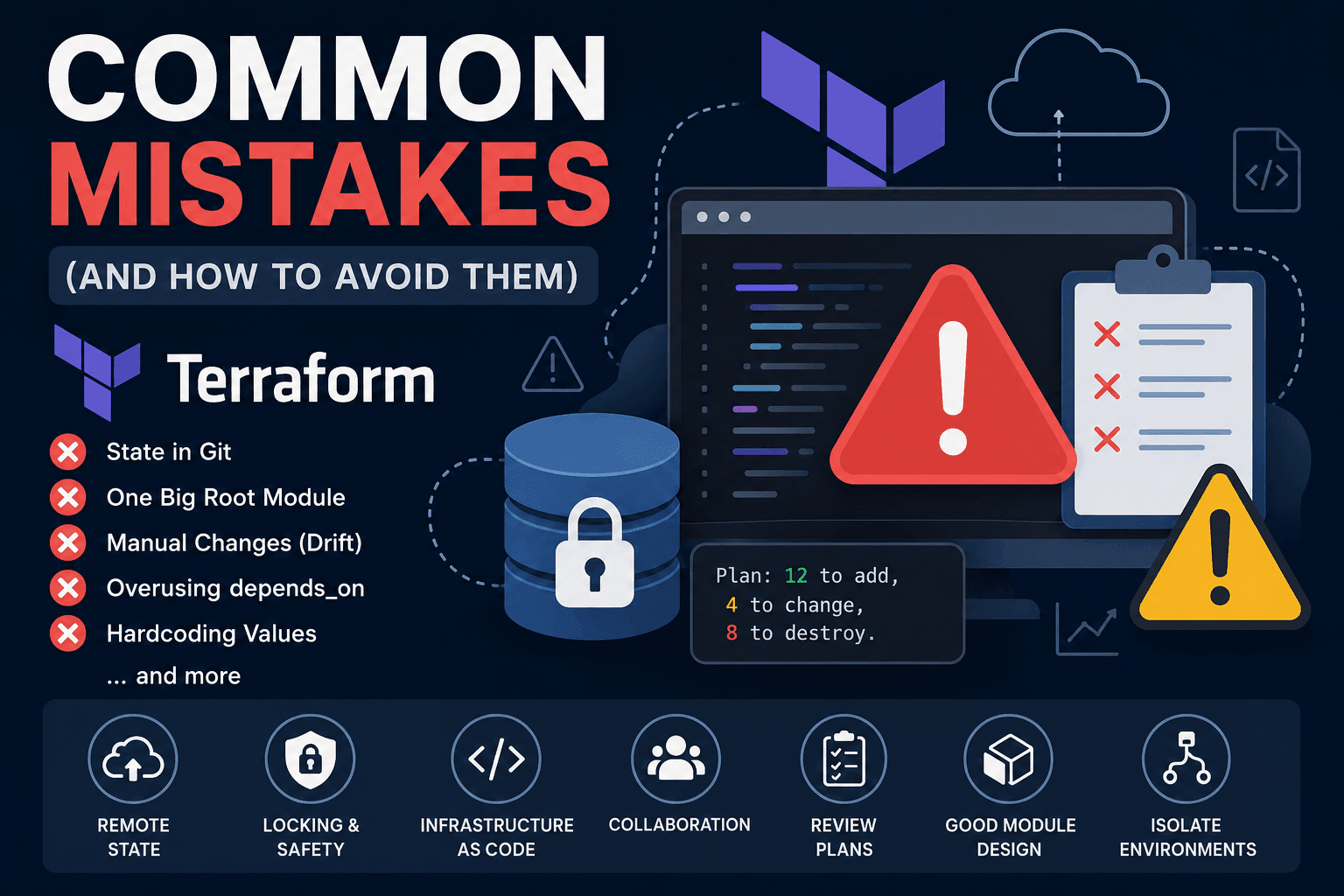
Common Terraform Mistakes (and How to Avoid Them)
By this point in the series, we've covered nearly every fundamental concept you need to work effectively with Terraform.
So far, we've learned about:
- How Terraform works
- Terraform State
- Plan & Apply
- Variables & Outputs
- Data Sources
- Everyday Terraform features such as
for_each,count,locals,depends_on, andlifecycle - Repository design
- Importing existing infrastructure
- Remote State Backends
For small projects, this knowledge is usually enough.
However, once you start working with production infrastructure, you'll discover an important reality:
Most Terraform incidents don't happen because people don't know Terraform—they happen because Terraform is used incorrectly.
Many engineering teams have experienced situations like these:
- Terraform wants to recreate an entire system after a simple resource rename.
- Two engineers apply changes simultaneously and corrupt the state.
- A tiny change unexpectedly affects dozens of unrelated resources.
- Terraform destroys production infrastructure.
- The repository grows so large that nobody feels comfortable making changes anymore.
Interestingly, these problems appear again and again across companies of every size.
In this article, we'll explore the most common Terraform mistakes and, more importantly, how to avoid them before they become production incidents.
Mistake #1 — Storing Terraform State in Git
This is probably the most common mistake beginners make.
A typical repository looks like this:
terraform/

├── main.tf
├── variables.tf
├── outputs.tf
└── terraform.tfstate
Then they simply run:
git add .
git commit
git push
At first glance, it seems harmless.
In reality, it's extremely dangerous.
Terraform State is not source code.
Terraform State is runtime data.
For example:
terraform.tfstate
It may contain information such as:
- Resource IDs
- Network IDs
- Database IDs
- ARNs
- IP addresses
- Dependency mappings
- Provider metadata
Depending on the provider, it may even include:
- Passwords
- Connection strings
- Secrets
- Access tokens
This means:
Git Repository
        ↓
Terraform State
        ↓
Production Infrastructure Information
If your repository is exposed or accidentally becomes public, your infrastructure information may be exposed as well.
State Changes Constantly
Unlike source code, Terraform State changes after almost every Apply.
For example:
Developer A

terraform apply
State becomes:
Version 10
Meanwhile:
Developer B

git pull
terraform apply
State becomes:
Version 11
Now Developer A pushes their changes:
git push
Conflict.
Git was never designed to merge Terraform State files.
Unlike source code, state files cannot be safely merged manually.
No State Locking
There's another major issue.
Imagine this scenario:
Developer A:
terraform apply
At the same time:
Developer B:
terraform apply
Both are writing to the same local state file.
Terraform has no way to coordinate them.
Possible outcomes include:
- Corrupted state
- Lost updates
- Infrastructure drift
- Incorrect resource mappings
This is exactly why Remote Backends provide State Locking.
Best Practice
Never commit your state file.
Instead, only commit:
Git

main.tf
variables.tf
outputs.tf

✔ Commit

terraform.tfstate

✘ Never
Your state should live in a dedicated backend such as:
- Terraform Cloud
- Amazon S3 (with locking support)
- Azure Blob Storage
- Google Cloud Storage
These solutions provide:
- Versioning
- State Locking
- Backup
- Team Collaboration
This is also why we dedicated the previous article entirely to Remote State Backends.
Mistake #2 — Managing Your Entire Infrastructure in a Single Root Module
This is another mistake many teams make as their infrastructure grows.
Initially, everything looks simple.
terraform/

main.tf

network.tf

database.tf

ec2.tf

dns.tf
Everything works perfectly.
A few months later:
terraform/

main.tf

network.tf

database.tf

cache.tf

lambda.tf

ecs.tf

eks.tf

monitoring.tf

cloudfront.tf

route53.tf

s3.tf

iam.tf

security.tf

vpn.tf

...
After a year:
terraform/

150 files

900 resources

25 modules

1 terraform apply
Now every time you execute:
terraform plan
Terraform has to evaluate the entire dependency graph.
900 Resources

↓

Refresh

↓

Dependency Graph

↓

Execution Plan
Planning may take several minutes.
Applying changes becomes equally slow.
Small Changes Still Affect Everything
Imagine you only want to update an:
EC2 Tag
Terraform still needs to:
- Refresh the entire state
- Build the complete dependency graph
- Compare every managed resource
Even though the only actual change is:
+ tag = "production"
This is why planning becomes slower as the infrastructure grows.
A Huge Blast Radius
This is where the real danger begins.
Suppose you modify:
modules/network
That change may indirectly affect:
- VPC
- Route Tables
- NAT Gateway
- Subnets
- Security Groups
- ECS
- EKS
- Load Balancer
- Databases
- Bastion Hosts
A seemingly small modification.
A potentially massive impact.
This is known as the:
Blast Radius.
The larger the blast radius, the higher the operational risk.
Best Practice
Instead of one massive root module, split your infrastructure into independent components.
For example:
live/

production/

network/

database/

application/

monitoring/

dns/
Each directory should have:
- Its own state
- Its own lifecycle
- Its own deployment pipeline
- Its own permissions
- A much smaller blast radius
This is one of the main reasons many organizations eventually adopt Terragrunt or a multi-root Terraform architecture as their infrastructure grows.
Mistake #3 — Modifying Infrastructure Directly in the Cloud Console
Terraform is built around one very simple principle:
Your infrastructure code should always be the single source of truth.
Yet in practice, many engineers still do something like this.
Imagine a production EC2 instance that suddenly needs more storage.
Instead of updating Terraform, someone opens the AWS Console.
EC2

↓

Edit

↓

Volume

↓

100 GB → 200 GB

↓

Save
Everything works.
The server stays online.
No downtime.
It feels like the fastest solution.
But in reality, you've just introduced a problem that Terraform knows nothing about.
Mistake #4 — Allowing Infrastructure Drift
Let's continue with the example from the previous section.
You modified the EC2 volume directly through the AWS Console.
Terraform still expects:
EC2 Volume

↓

100 GB
But the actual infrastructure now contains:
EC2 Volume

↓

200 GB
Terraform knows nothing about the manual change.
Your infrastructure has now reached this state:
Terraform Configuration

↓

100 GB

≠

Actual Infrastructure

↓

200 GB
This difference is called:
Infrastructure Drift.
Why Is Infrastructure Drift Dangerous?
At first, you might think:
"It's fine. It was only a small change."
But over time, more manual changes begin to accumulate.
For example:
- A new Security Group rule is added.
- An IAM Policy is modified.
- Versioning is enabled on an S3 bucket.
- An EC2 instance type is changed.
- A Load Balancer listener is updated.
- Database storage is increased.
Terraform doesn't know about any of them.
Then one day, you run:
terraform applyTerraform attempts to bring the infrastructure back to the state described by the code.
For example:
Code:
allocated_storage = 100Actual infrastructure:
200 GB
Terraform may produce a plan that attempts to restore:
200 GB

↓

100 GB
Depending on the provider and resource behavior, Terraform may try to reverse the manual change.
This can cause:
- Unexpected replacements
- Downtime
- Configuration loss
- Data loss
Even when Terraform cannot apply the change directly, the drift still makes future plans harder to understand and trust.
How to Avoid Infrastructure Drift
The basic rule is simple:
Do not modify Terraform-managed infrastructure manually.
When infrastructure needs to change, update the Terraform configuration first.
Then run:
terraform plan
terraform apply
This keeps the code, state, and actual infrastructure aligned.
Terraform Configuration

        =

Terraform State

        =

Actual Infrastructure
Sometimes, however, an emergency production incident requires an immediate manual change.
In that situation:
- Apply the emergency fix.
- Document exactly what was changed.
- Update the Terraform configuration immediately afterward.
- Run
terraform planto confirm that Terraform no longer wants to undo the fix.
The longer drift exists, the greater the risk becomes.
Mistake #5 — Overusing depends_on
When engineers first learn about depends_on, they often treat it as an extra safety mechanism.
The reasoning usually sounds like this:
I'll add
depends_oneverywhere just to make sure Terraform creates resources in the correct order.
For example:
resource "aws_instance" "app" {
  ami           = var.ami_id
  instance_type = var.instance_type
  subnet_id     = aws_subnet.private.id

  depends_on = [
    aws_security_group.app,
    aws_iam_role.app,
    aws_subnet.private,
    aws_route_table.private
  ]
}
After some time, nearly every resource has an explicit dependency.
The dependency graph gradually becomes:
A

↓

B

↓

C

↓

D

↓

E

↓

F

↓

G
Terraform loses much of its ability to execute independent operations in parallel.
Plans also become harder to reason about because the configuration contains many dependencies that Terraform could already infer automatically.
Terraform Already Understands Most Dependencies
Terraform builds its dependency graph from resource references.
For example:
resource "aws_security_group" "app" {
  name = "app"
}

resource "aws_instance" "app" {
  ami           = var.ami_id
  instance_type = var.instance_type

  security_groups = [
    aws_security_group.app.id
  ]
}
Because the EC2 instance references:
aws_security_group.app.idTerraform automatically understands this relationship:
Security Group

↓

EC2 Instance
There is no need to add:
depends_on = [
  aws_security_group.app
]
The reference already creates an implicit dependency.
Why Unnecessary Dependencies Are Harmful
Terraform attempts to perform independent operations concurrently.
For example:
Create Security Group A

Create Security Group B

Create S3 Bucket

Create IAM Role
If these resources do not depend on one another, Terraform may create them in parallel.
Unnecessary depends_on relationships force Terraform to serialize work that could otherwise run concurrently.
This can lead to:
- Slower plans and applies
- Larger dependency graphs
- More resources being marked as unknown during planning
- Unexpected downstream changes
- Configuration that is harder to maintain
When Should You Use depends_on?
Use depends_on only when a real dependency exists but cannot be expressed through a normal attribute reference.
Examples may include:
- A cloud API must be enabled before another resource is created.
- An IAM policy attachment must exist before a service starts using the role.
- A resource depends on a side effect rather than an output value.
- A provider does not expose the relationship through its resource attributes.
- A module relies on another module's completion without consuming one of its outputs.
For example:
resource "google_project_service" "compute" {
  service = "compute.googleapis.com"
}

resource "google_compute_network" "main" {
  name = "main"

  depends_on = [
    google_project_service.compute
  ]
}
Here, the network resource does not necessarily reference a value from the API-enablement resource.
However, the Compute API must be enabled before the network can be created.
This is a valid explicit dependency.
If almost every resource in your repository uses depends_on, it is usually a sign that the dependency design should be reviewed.
Mistake #6 — Hardcoding Values Everywhere
Consider the following configuration:
resource "aws_instance" "web" {
  ami           = "ami-0abc123"
  instance_type = "t3.medium"

  tags = {
    Environment = "production"
    Team        = "backend"
  }
}
For a small project, this may look perfectly reasonable.
A few months later, however, the same values begin appearing throughout the repository:
ami-0abc123

ami-0abc123

ami-0abc123

ami-0abc123
Then the AMI needs to change.
Instead of updating one place, you have to modify:
20 files

↓

40 files

↓

80 files
This is one of the most obvious consequences of hardcoding configuration values.
Hardcoding Creates More Problems Than Duplication
AMI IDs are only one example.
Other values commonly hardcoded across Terraform repositories include:
- Regions
- Availability Zones
- CIDR blocks
- Subnet IDs
- Instance types
- Environment names
- Project names
- Bucket names
- Domain names
- Resource tags
- Account IDs
As the organization adds more environments:
development

staging

production

sandbox
Engineers often begin copying entire Terraform directories and changing hardcoded values manually.
The result is usually:
Duplicate Configuration

↓

Small Differences

↓

Configuration Drift

↓

Difficult Maintenance
A fix applied to one environment may never reach the others.
Best Practice: Use Variables for External Configuration
Values that should differ between deployments are usually good candidates for input variables.
For example:
variable "instance_type" {
  description = "EC2 instance type used by the application"
  type        = string
}
Then:
resource "aws_instance" "web" {
  ami           = var.ami_id
  instance_type = var.instance_type
}
Different environments can provide different values:
# development.tfvars

instance_type = "t3.micro"# production.tfvars
instance_type = "m7i.large"The resource logic remains the same while the environment-specific configuration changes.
Use Locals for Shared Internal Values
Not every repeated value should become an input variable.
Values derived or reused inside the same configuration are often better represented as locals.
For example:
locals {
  name_prefix = "${var.project_name}-${var.environment}"

  common_tags = {
    Project     = var.project_name
    Environment = var.environment
    ManagedBy   = "terraform"
    Team        = "platform"
  }
}
Then:
resource "aws_s3_bucket" "assets" {
  bucket = "${local.name_prefix}-assets"

  tags = local.common_tags
}resource "aws_instance" "web" {
ami = var.ami_id
instance_type = var.instance_type
tags = merge(
local.common_tags,
{
Name = "${local.name_prefix}-web"
}
)
}Now naming conventions and tags are defined in one place.
Use Data Sources for Existing Information
Some values should not be hardcoded or provided manually at all.
For example, instead of hardcoding an AWS account ID:
locals {
  account_id = "123456789012"
}
You can read it dynamically:
data "aws_caller_identity" "current" {}Then use:
data.aws_caller_identity.current.account_idSimilarly, instead of hardcoding an AMI ID:
data "aws_ami" "application" {
  most_recent = true
  owners      = ["self"]

  filter {
    name   = "name"
    values = ["application-*"]
  }
}
Then:
resource "aws_instance" "web" {
  ami = data.aws_ami.application.id
}
The important principle is not to turn every value into a variable.
The real goal is to choose the correct source for each value:
Environment-specific input

↓

Variable
Shared or derived configuration

↓

Local
Existing infrastructure information

↓

Data Source
Mistake #7 — Designing Modules That Do Too Much
Modules are one of Terraform's most powerful features.
They are also one of the easiest features to misuse.
A team may begin by creating a module called:
production-stack
Inside that module:
VPC

↓

Subnets

↓

Security Groups

↓

ECS

↓

RDS

↓

Redis

↓

IAM

↓

CloudFront

↓

Route53

↓

CloudWatch
One module manages the entire platform.
Initially, this feels convenient because the entire environment can be created with a single module block.
module "production" {
  source = "../../modules/production-stack"
}
Over time, however, the module becomes increasingly difficult to understand and modify.
The God Module Problem
Suppose the application team only needs to update:
ECS Task Definition
They still have to work with a module that also controls:
- VPC networking
- Database configuration
- DNS
- Cache infrastructure
- IAM permissions
- Monitoring
- CDN behavior
A change to one part may unexpectedly affect another.
The module gradually turns into a:
God Module.
It knows too much, manages too much, and has too many responsibilities.
Eventually, engineers become afraid to change it.
Large Modules Create Large Interfaces
A module that manages an entire platform usually requires a huge number of variables.
For example:
module "production_stack" {
  source = "../../modules/production-stack"

  vpc_cidr                  = "10.0.0.0/16"
  public_subnet_cidrs       = ["10.0.1.0/24", "10.0.2.0/24"]
  private_subnet_cidrs      = ["10.0.11.0/24", "10.0.12.0/24"]
  ecs_cluster_name          = "production"
  application_image         = "example/app:1.4.0"
  application_cpu           = 1024
  application_memory        = 2048
  database_engine           = "postgres"
  database_instance_class   = "db.r7g.large"
  database_storage          = 500
  redis_node_type           = "cache.r7g.large"
  cloudfront_price_class    = "PriceClass_200"
  domain_name               = "example.com"
  enable_monitoring         = true
  enable_backup             = true
  backup_retention_days     = 30
  enable_deletion_protection = true
}
The module interface becomes difficult to use correctly.
Some variables only apply when certain features are enabled.
Others depend on combinations of values.
Eventually, the module begins reproducing an internal configuration language on top of Terraform.
Modules Should Have Clear Responsibilities
Instead of one production-stack module, split the infrastructure into focused modules.
For example:
modules/

├── vpc/
├── ecs-service/
├── rds/
├── redis/
├── load-balancer/
├── cloudfront/
└── route53/
Each module should have:
- A clear purpose
- A small and understandable interface
- Explicit inputs and outputs
- Independent versioning when appropriate
- A lifecycle that matches the resources it manages
For example:
module "network" {
  source = "../../modules/vpc"

  name     = local.name
  vpc_cidr = var.vpc_cidr
}module "database" {
source = "../../modules/rds"
name = local.name
subnet_ids = module.network.private_subnet_ids
security_group_ids = [module.network.database_security_group_id]
}module "application" {
source = "../../modules/ecs-service"
name = local.name
subnet_ids = module.network.private_subnet_ids
database_endpoint = module.database.endpoint
application_image = var.application_image
}The responsibilities are now easier to understand.
Avoid Making Modules Too Small
The opposite extreme can also become a problem.
For example, creating separate modules for:
One Security Group Rule

One IAM Policy Statement

One S3 Bucket Tag

One DNS Record
Modules that are too small add indirection without providing meaningful reuse or abstraction.
A useful module should normally represent a coherent infrastructure capability.
Examples include:
- A VPC with its subnets and routing
- A production-ready database
- An application service behind a load balancer
- A static website with storage and CDN
- A monitoring stack
- A reusable IAM role pattern
The goal is not to maximize the number of modules.
The goal is to create useful boundaries.
This follows the same principle used throughout software engineering:
A module should solve one clear problem and hide only the complexity that its consumers should not need to understand.
Mistake #8 — Applying Without Reviewing the Terraform Plan
This is a common mistake, especially in small projects or when working alone.
The workflow often looks like this:
terraform applyTerraform displays:
Plan: 12 to add, 4 to change, 8 to destroy.You scan it quickly.
yesPress Enter.
A few minutes later, production starts failing.
Terraform Tells You What It Is About to Do
One of Terraform's greatest strengths is the execution plan.
Before changing the infrastructure, Terraform shows:
- Which resources will be created
- Which resources will be updated
- Which resources will be destroyed
- Which attributes will change
- Which resources must be replaced
For example:
~ resource "aws_db_instance" "main" {
    allocated_storage = 200 -> 100
  }
If you read the plan carefully, you can see that Terraform is attempting to reduce the database storage.
Another important symbol is:
-/+ resource "aws_instance" "web" {The -/+ indicator means:
Destroy

↓

Create Replacement
Terraform cannot update the resource in place.
It must destroy the existing resource and create a new one.
This is easy to miss when the plan contains hundreds of lines.
A Small Code Change Can Produce a Large Plan
Suppose you only rename a Terraform resource:
Before:
resource "aws_instance" "web" {
  ami           = var.ami_id
  instance_type = var.instance_type
}
After:
resource "aws_instance" "application" {
  ami           = var.ami_id
  instance_type = var.instance_type
}
To a human, this looks like a simple rename.
Terraform may interpret it as:
Destroy aws_instance.web

Create aws_instance.application
Unless you explicitly move the state address:
moved {
  from = aws_instance.web
  to   = aws_instance.application
}
The code change is small.
The infrastructure impact may not be.
This is exactly why the plan must be reviewed based on its actual infrastructure effects, not only on the size of the code diff.
Production Requires a Reviewable Workflow
A safer production workflow looks like this:
Pull Request

↓

terraform plan

↓

Plan Review

↓

Approval

↓

terraform apply
Not:
Change Code

↓

terraform apply
The Terraform plan should be treated like a code review artifact.
Reviewers should check:
- Are any resources being destroyed?
- Are any resources being replaced?
- Are the changes limited to the intended environment?
- Are sensitive resources being modified?
- Are any values unexpectedly becoming unknown?
- Is the blast radius reasonable?
- Does the plan contain unrelated changes?
The plan is often the final opportunity to detect an unintended infrastructure change before it reaches production.
Save the Plan That Was Reviewed
Another common workflow issue is reviewing one plan and applying another.
For example:
terraform planThe plan looks correct.
Later:
terraform applyTerraform generates a new plan internally.
Between those two commands:
- The configuration may have changed.
- The state may have changed.
- The real infrastructure may have changed.
- A provider data source may return a different value.
A safer workflow is:
terraform plan -out=tfplanThen apply the exact saved plan:
terraform apply tfplanIn CI/CD, the approved plan artifact should be the same plan used during the Apply stage.
This reduces the gap between:
What was reviewedand:
What was executedMistake #9 — Not Pinning Terraform, Provider, and Module Versions
A Terraform configuration usually depends on multiple external components.
For example:
terraform {
  required_providers {
    aws = {
      source = "hashicorp/aws"
    }
  }
}
Or a module:
module "network" {
  source = "git::https://github.com/example/terraform-aws-network.git"
}
Without version constraints, different environments may download different versions.
That makes your infrastructure builds unpredictable.
The Same Code Can Produce a Different Result
Imagine your local machine currently uses:
AWS Provider 6.10A few days later, the CI pipeline initializes the repository and downloads:
AWS Provider 6.11Your Terraform code has not changed.
However, the provider may now have:
- New default behavior
- Updated validation
- Schema changes
- Deprecated attributes
- Different diff behavior
- Bug fixes that alter the plan
The pipeline may fail or produce a different execution plan even though the repository contains no relevant code change.
This makes incidents difficult to reproduce.
Pin the Terraform CLI Version
Declare the supported Terraform version:
terraform {
  required_version = "~> 1.13.0"
}
This allows compatible patch releases within the 1.13 line while preventing an unexpected upgrade to a new minor version.
For stricter environments, you may use:
terraform {
  required_version = "= 1.13.5"
}
The right level of strictness depends on your upgrade process.
The important point is that the supported version should be explicit.
Pin Provider Versions
Provider versions should also be constrained.
For example:
terraform {
  required_providers {
    aws = {
      source  = "hashicorp/aws"
      version = "~> 6.0"
    }
  }
}
This allows compatible releases within the selected major version while preventing an automatic upgrade to the next major release.
For more controlled upgrades:
version = "~> 6.10.0"This keeps the provider within the 6.10.x release line.
Commit the Dependency Lock File
Terraform creates:
.terraform.lock.hclThis file records the selected provider versions and their checksums.
It should normally be committed to Git.
The lock file helps ensure that:
- Developers use the same provider versions.
- CI/CD uses the same provider versions.
- Provider packages can be verified with checksums.
- Upgrades happen intentionally.
Do not confuse:
.terraform.lock.hclwith:
terraform.tfstateThe lock file belongs in version control.
The state file does not.
Pin Module Versions
Registry modules can use explicit versions:
module "network" {
  source  = "terraform-aws-modules/vpc/aws"
  version = "6.0.1"
}
Git-based modules should reference a stable tag or commit:
module "network" {
  source = "git::https://github.com/example/terraform-aws-network.git?ref=v1.4.0"
}
Avoid using a moving branch such as:
source = "git::https://github.com/example/terraform-aws-network.git?ref=main"The contents of main can change without any modification in the consuming repository.
That means the same Terraform configuration may behave differently from one day to another.
Upgrade Dependencies Intentionally
Version pinning does not mean dependencies should never be upgraded.
It means upgrades should be deliberate.
A controlled workflow may look like this:
Update Version Constraint

↓

terraform init -upgrade

↓

Review Lock File Changes

↓

terraform plan

↓

Review Provider or Module Changelog

↓

Apply in Non-Production

↓

Promote to Production
Infrastructure dependencies should be upgraded like application dependencies: intentionally, incrementally, and with a clear review process.
Mistake #10 — Not Isolating Environments
Another common mistake is managing every environment from the same root module and the same working directory.
For example:
terraform/

├── main.tf
├── variables.tf
├── development.tfvars
├── staging.tfvars
└── production.tfvars
Deployment depends on selecting the correct file manually:
terraform apply -var-file=development.tfvarsOr:
terraform apply -var-file=production.tfvarsThis looks simple.
It also creates a dangerous opportunity for human error.
The Wrong Variable File Is Enough
Suppose you intend to update development:
terraform apply -var-file=development.tfvarsBut accidentally run:
terraform apply -var-file=production.tfvarsThe command is valid.
Terraform will not know that you selected the wrong environment.
It will simply calculate and apply the requested production changes.
A small typing mistake can become a production incident.
A Shared State Makes the Problem Worse
If environments also share the same backend configuration or state, the risk becomes even greater.
For example:
Development

Staging

Production

↓

One State File
Now resource addresses from every environment exist in the same state.
A change intended for one environment may affect resources from another.
The state also becomes:
- Larger
- Slower to refresh
- More difficult to recover
- Harder to protect with environment-specific permissions
- More dangerous to modify
At a minimum, every environment should have a separate state.
Isolate Environments Explicitly
A clearer repository structure is:
live/

├── development/
│   ├── network/
│   ├── database/
│   └── application/
│
├── staging/
│   ├── network/
│   ├── database/
│   └── application/
│
└── production/
    ├── network/
    ├── database/
    └── application/
Each environment can have:
- A separate state
- A separate backend path
- A separate deployment pipeline
- Separate cloud credentials
- Separate approval rules
- Separate access permissions
- An independent lifecycle
The structure makes the deployment target visible from the directory itself.
You are no longer relying only on a command-line argument to decide whether you are changing development or production.
Isolation Is More Than Directory Structure
Separating directories is useful, but true isolation also includes:
State IsolationEach environment must have its own state.
Credential IsolationA development pipeline should not automatically have permission to modify production.
Pipeline IsolationProduction should have stricter reviews and approvals.
Account or Subscription IsolationWhen possible, production should live in a separate cloud account, subscription, or project.
Configuration IsolationEnvironment-specific values should be explicit and reviewable.
The goal is to ensure that a mistake in one environment cannot easily cross into another.
What About Terraform Workspaces?
Terraform workspaces can provide separate state instances for the same configuration.
For example:
terraform workspace select developmentterraform workspace select productionHowever, workspaces do not automatically provide:
- Different credentials
- Different access controls
- Different pipelines
- Different directory boundaries
- Different backend configurations
- Strong visual separation
It is still possible to select the wrong workspace and apply changes.
For simple, closely related environments, workspaces can be useful.
For production systems with different permissions, lifecycles, accounts, or risk levels, explicit environment isolation is usually easier to reason about.
Terraform Is Not Difficult, but It Is Easy to Misuse
Most of the problems in this article are not Terraform bugs.
Terraform is usually behaving exactly as designed.
The real problems come from:
- Poor state management
- Unclear repository boundaries
- Manual infrastructure changes
- Weak review workflows
- Excessive dependencies
- Poor module abstractions
- Uncontrolled dependency upgrades
- Insufficient environment isolation
When the infrastructure is small, these decisions may not appear important.
A local state file may seem sufficient.
One root module may feel convenient.
A manual console change may feel faster.
An unpinned provider may continue working for months.
But as the infrastructure grows to hundreds or thousands of resources, these early decisions directly affect:
- Reliability
- Deployment speed
- Security
- Team collaboration
- Recovery capability
- Operational confidence
A Terraform repository is not only a collection of .tf files.
It is an operational system.
Its structure, workflow, state boundaries, permissions, and deployment process matter just as much as the resource definitions themselves.
Key Lessons
The most important principles from this article are:
- Never store Terraform State in Git.
- Use a Remote Backend with locking and versioning.
- Avoid managing an entire platform in one massive state.
- Do not modify Terraform-managed resources manually.
- Resolve Infrastructure Drift quickly.
- Use
depends_ononly for dependencies Terraform cannot infer. - Use Variables, Locals, and Data Sources instead of widespread hardcoding.
- Design modules around clear infrastructure capabilities.
- Review every Terraform Plan before applying it.
- Apply the exact plan that was reviewed.
- Pin Terraform, Provider, and Module versions.
- Commit
.terraform.lock.hcl. - Isolate environments through state, permissions, credentials, and pipelines.
Terraform becomes safer when infrastructure changes are:
Explicit

↓

Reviewable

↓

Repeatable

↓

Isolated

↓

Recoverable
These principles matter far more than memorizing every Terraform resource or language feature.
Summary
Across the first eleven articles of this series, we have moved from the fundamental idea of Infrastructure as Code to the practical realities of managing production infrastructure with Terraform.
We have explored:
- How Terraform works
- Terraform State
- Plan and Apply
- Variables and Outputs
- Data Sources
- Everyday Terraform language features
- Repository design
- Importing existing infrastructure
- Remote State Backends
- Common mistakes and operational risks
At this point, you have the foundation needed to build and operate small to medium-sized Terraform projects with a much clearer understanding of how Terraform behaves.
However, as infrastructure continues to grow across:
- Multiple environments
- Multiple cloud accounts
- Multiple regions
- Multiple teams
- Multiple independent infrastructure components
Pure Terraform configuration often starts to become repetitive and difficult to coordinate.
Backend definitions are repeated.
Provider configuration is duplicated.
Environment structures drift apart.
Dependencies between separate Terraform roots become harder to manage.
This is where teams often begin looking for another layer of tooling.
That tool is frequently Terragrunt.
In the next article, we will explore when Terraform alone is no longer enough, what problems Terragrunt is designed to solve, and why many engineering teams introduce it when managing production infrastructure at scale.