
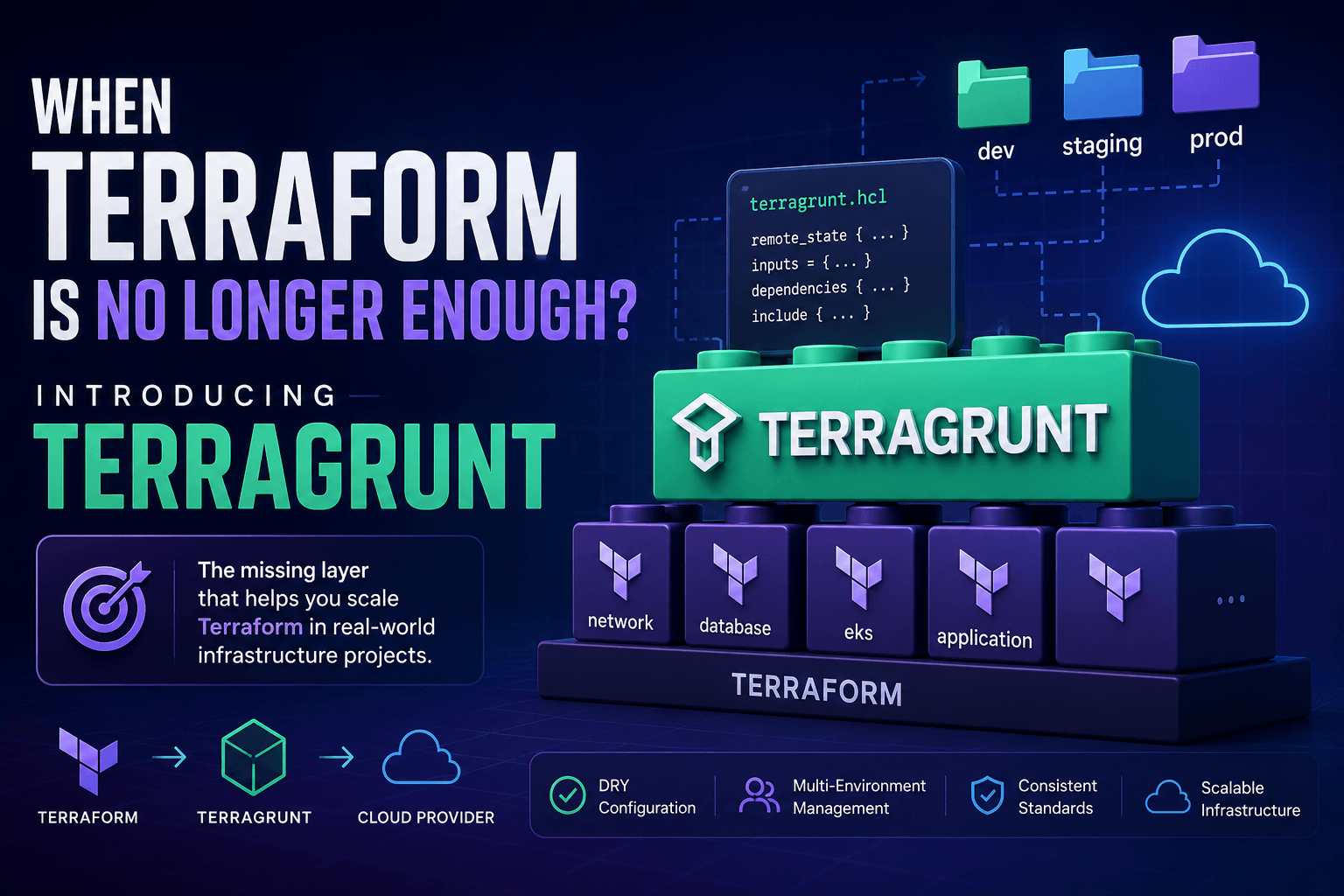
When Terraform Is No Longer Enough: Introducing Terragrunt
Throughout this series, we've covered a wide range of Terraform concepts.
From the fundamentals of Infrastructure as Code, how Terraform works, Terraform State, Plan & Apply, Variables, Data Sources, Remote State, to designing a production-ready Terraform repository.
Looking at everything Terraform provides, you might think:
"Terraform is enough to build any infrastructure."
In reality...
Yes, but not quite.
Terraform is an incredibly powerful tool for provisioning and managing infrastructure.
However, Terraform was never designed to solve every problem related to managing multiple environments, multiple cloud accounts, and hundreds of infrastructure modules.
That's why almost every organization using Terraform at scale introduces another layer on top of it.
One of the most popular solutions is Terragrunt.
Terraform Excels at Provisioning Infrastructure
Terraform is excellent at its core responsibilities:
- Managing resources
- Tracking infrastructure state
- Calculating dependencies
- Building execution plans
- Applying infrastructure changes safely
For example:
resource "aws_vpc" "main" {
  cidr_block = "10.0.0.0/16"
}

resource "aws_subnet" "public" {
  vpc_id = aws_vpc.main.id
}
Terraform understands that:
VPC
 ↓
Subnet
It automatically creates the resources in the correct order.
If only the subnet changes:
Plan
↓

Update Subnet

Leave VPC unchanged
When resources depend on one another:
IAM Role
     ↓
EC2
     ↓
Load Balancer
Terraform automatically builds the dependency graph and executes everything in the proper sequence.
This is one of Terraform's greatest strengths.
But Production Is More Than One Environment
When you're learning Terraform, most examples look like this:
terraform-project/

main.tf
variables.tf
outputs.tf
One directory.
One environment.
One state file.
This is perfectly fine for learning.
However, once you move into production, things change quickly.
For example:
Production

AWS Account A
    ├── VPC
    ├── Network
    ├── EKS
    ├── RDS
    └── Monitoring

Staging

AWS Account B
    ├── VPC
    ├── Network
    ├── EKS
    ├── RDS
    └── Monitoring

Development

AWS Account C
    ├── VPC
    ├── Network
    ├── EKS
    ├── RDS
    └── Monitoring
Suddenly, you're no longer managing:
- one environment
Instead, you're managing:
- multiple environments
- multiple AWS accounts
- multiple regions
- dozens of Terraform modules
Repetition Starts to Appear
Imagine you've already built a reusable VPC module.
modules/
    vpc/
Now you want to use it in three different environments:
dev
staging
production
A common repository structure looks like this:
live/

dev/
    vpc/

staging/
    vpc/

production/
    vpc/
Inside each directory, you'll often find almost identical Terraform code.
Development:
module "vpc" {
  source = "../../modules/vpc"

  cidr = "10.0.0.0/16"

  environment = "dev"
}
Staging:
module "vpc" {
  source = "../../modules/vpc"

  cidr = "10.1.0.0/16"

  environment = "staging"
}
Production:
module "vpc" {
  source = "../../modules/vpc"

  cidr = "10.2.0.0/16"

  environment = "production"
}
At first glance, this doesn't seem like a problem.
But as the number of modules grows:
- VPC
- IAM
- EKS
- RDS
- Redis
- S3
- CloudFront
- Route53
- Monitoring
- Logging
- WAF
- Secrets
...
Every environment ends up duplicating almost the same configuration.
It's Not Just About Duplicate Code
The bigger issue is the shared configuration.
For example, backend configuration:
terraform {
  backend "s3" {
    bucket = "company-tfstate"
  }
}
Provider configuration:
provider "aws" {
  region = "ap-southeast-1"
}
Common tags:
tags = {
  Team = "Platform"
  Owner = "Infrastructure"
}
Remote State configuration:
data "terraform_remote_state" ...Provider versions:
terraform {
  required_providers {
    aws = {
      version = "~> 6.0"
    }
  }
}
These configuration blocks appear in nearly every module.
If your infrastructure contains 50 modules across 4 environments, you could easily end up maintaining hundreds of Terraform files that are nearly identical.
That's the point where maintaining the repository starts becoming expensive.
Terraform Does Not Understand "Environments"
One interesting detail is that Terraform has no built-in concept of:
- Development
- Staging
- Production
Terraform only understands the current:
Working Directory
For example:
live/

dev/
    app/

staging/
    app/

production/
    app/
From Terraform's perspective, these three directories are completely independent.
Terraform does not understand that:
dev
 ↓
staging
 ↓
production
represent different versions of the same system.
Terraform also does not know:
- which environments belong to the same project
- which account belongs to production
- which region is being used
- which configuration should be shared between modules
Everything must be organized by the engineers maintaining the repository.
This provides a great deal of flexibility, but it also makes the system harder to manage as the infrastructure grows.
Terraform Does Not Manage Your Repository Structure
Terraform only reads the current directory.
For example:
terraform applyTerraform reads the files available in:
.
├── main.tf
├── variables.tf
└── outputs.tf
It does not care whether the repository is organized as:
company-iac/

projects/
platform/
network/
production/
or:
live/
modules/
shared/
Terraform does not enforce:
- directory naming conventions
- module boundaries
- environment organization
- account organization
- backend management
- repository architecture
This means two companies can both use Terraform while having completely different repository structures.
For example:
Company A:
production/
staging/
development/
Company B:
aws/
azure/
gcp/
Company C:
platform/
application/
security/
network/
All of these structures are valid.
Terraform does not validate or manage any of them.
What Happens as the System Grows?
Imagine an organization with:
- 4 AWS accounts
- 3 regions
- 6 environments
- 80 Terraform modules
If every module contains:
main.tf
providers.tf
backend.tf
versions.tf
variables.tf
the repository can quickly grow to hundreds of files.
The important part is that much of their content will be almost identical.
For example, the backend configuration may be repeated:
terraform {
  backend "s3" {
    bucket = "company-state"
  }
}
The provider configuration may be repeated:
provider "aws" {
  region = "ap-southeast-1"
}
The required Terraform version may be repeated:
terraform {
  required_version = ">= 1.8"
}
The same tags may also appear everywhere:
tags = {
  ManagedBy = "Terraform"
}
Now imagine that the organization needs to:
- change the State bucket
- upgrade the provider version
- add a mandatory tag
- update its Assume Role configuration
A small organizational change may require updates across dozens or even hundreds of directories.
This is not necessarily a flaw in Terraform.
Terraform was simply never designed to manage repository-wide conventions and shared configuration.
How Teams Tried to Solve This Problem
Before Terragrunt became popular, many teams built their own solutions.
Some used symbolic links:
backend.tf
    ↓
symbolic links across multiple directories
Others created scripts that copied shared files:
copy backend.tf
    ↓
100 directories
Some teams used Bash:
for dir in */; do
  cp backend.tf "$dir"
done
Others introduced Makefiles:
apply-all:Some wrote custom Python wrappers:
python deploy.pyLarger organizations sometimes built complete internal platforms around Terraform.
All of these approaches were trying to solve the same problem:
Reduce duplicated configuration and make large Terraform repositories easier to manage.
This shows that the problem was real and common across many teams.
Terragrunt was created to address these exact challenges.
Terragrunt Does Not Replace Terraform
This is one of the most common misunderstandings among people who are new to Terragrunt.
Terragrunt is not a newer version of Terraform.
Terragrunt also does not create infrastructure resources by itself.
It does not directly call AWS APIs.
It does not manage Terraform State.
It does not build Terraform's resource dependency graph.
It does not provision infrastructure.
The actual execution flow is still:
Terragrunt
    ↓
Terraform
    ↓
Cloud Provider
In other words, Terragrunt sits in front of Terraform.
It helps with tasks such as:
- preparing Terraform configuration
- organizing repositories
- reducing duplicated code
- passing input variables
- managing multiple modules
- managing multiple environments
Terraform is still the tool that ultimately executes plan and apply.
That is why understanding Terraform remains essential before using Terragrunt effectively.
Terragrunt was created to complement Terraform, not replace it.
What Problems Does Terragrunt Solve?
If I had to describe Terragrunt in a single sentence, it would be:
Terragrunt is a wrapper that makes Terraform easier to use in real-world infrastructure projects.
It does not change how Terraform works.
Instead, it eliminates many of the repetitive tasks that Terraform intentionally leaves to users.
For example, instead of defining the backend configuration in every module:
terraform {
  backend "s3" {
    bucket = "company-state"
    key    = "..."
    region = "ap-southeast-1"
  }
}
Terragrunt allows you to define it once and reuse it across multiple modules.
The same idea applies to:
- Providers
- Common variables
- Common tags
- Remote State configuration
- Provider versions
- Naming conventions
This makes large infrastructure repositories much easier to maintain.
Key Capabilities of Terragrunt
In the following articles, we'll explore each of these features in detail.
For now, it's enough to understand that Terragrunt helps with several important aspects of infrastructure management.
Reducing Duplicate Configuration
A shared configuration can be defined once and inherited throughout the repository.
Root Configuration
        │
        ├── Development
        ├── Staging
        └── Production
Instead of copying the same HCL blocks into dozens of directories.
Managing Multiple Environments
A typical repository may contain:
live/

dev/

staging/

production/
Terragrunt allows these environments to inherit a common base configuration while still overriding environment-specific values where necessary.
Managing Multiple Accounts and Regions
For example:
AWS

Production
    ap-southeast-1
    us-east-1

Development
    ap-southeast-1
Terragrunt makes organizing these structures significantly cleaner and easier to understand.
Running Multiple Modules in the Correct Order
Imagine an infrastructure like this:
Network
     ↓
Database
     ↓
EKS
     ↓
Applications
Terragrunt can orchestrate the execution of multiple modules in the correct dependency order, eliminating much of the manual work involved in applying infrastructure changes.
Standardizing Repository Structure
One of Terragrunt's biggest advantages is helping an entire engineering team follow the same repository conventions.
Instead of every engineer inventing their own directory structure and workflow, the whole team can share a consistent architecture that's easier to maintain and scale over time.
Does Every Project Need Terragrunt?
The answer is:
No.
If your project only has:
- one environment
- a handful of resources
- one or two modules
then plain Terraform is usually the simplest and most effective solution.
Adding Terragrunt at this stage may introduce unnecessary complexity.
On the other hand, once your infrastructure grows to include:
- multiple environments
- multiple cloud accounts
- multiple regions
- multiple engineering teams
- dozens or hundreds of modules
managing everything with Terraform alone becomes increasingly difficult.
That's exactly where Terragrunt starts providing significant value.
The important takeaway is:
Don't adopt Terragrunt simply because everyone else uses it.
Use it when your infrastructure has reached the point where the problems Terragrunt solves actually exist.
Summary
Terraform is an outstanding infrastructure provisioning tool.
However, Terraform focuses on provisioning infrastructure, not on managing the overall structure of a large infrastructure repository.
As the number of modules, environments, cloud accounts, and teams grows, duplicated configuration and repository management become increasingly challenging.
Terragrunt addresses these challenges by adding a management layer on top of Terraform, helping teams reduce duplication, standardize repository structure, and simplify large-scale Infrastructure as Code operations.
Next Article
In the next article, we'll officially begin our Terragrunt journey by answering the most fundamental question:
What is Terragrunt, and how does it work?
We'll explore Terragrunt's architecture, understand how it works alongside Terraform, and build our very first Terragrunt project to see how it fits into a modern Infrastructure as Code workflow.